Map the physical LEDs
Import a DXF drawing or place LEDs manually on a millimeter canvas. Assign ports, wiring order, labels, and validation before content work starts.
Windows LED mapping software
Pixel LED Studio Pro is a Windows desktop editor for mapped pixel LED installations. Import DXF drawings, place and wire LED ports, build a timeline with effects, video, images, and text, then render MP4, AVI, or XDAT media for LEDEdit and LEDEdit-K.
Windows 10/11 desktop software. Licensed download. Final controller files are still compiled in LEDEdit or LEDEdit-K for most SD-card workflows.
Built for real LED work
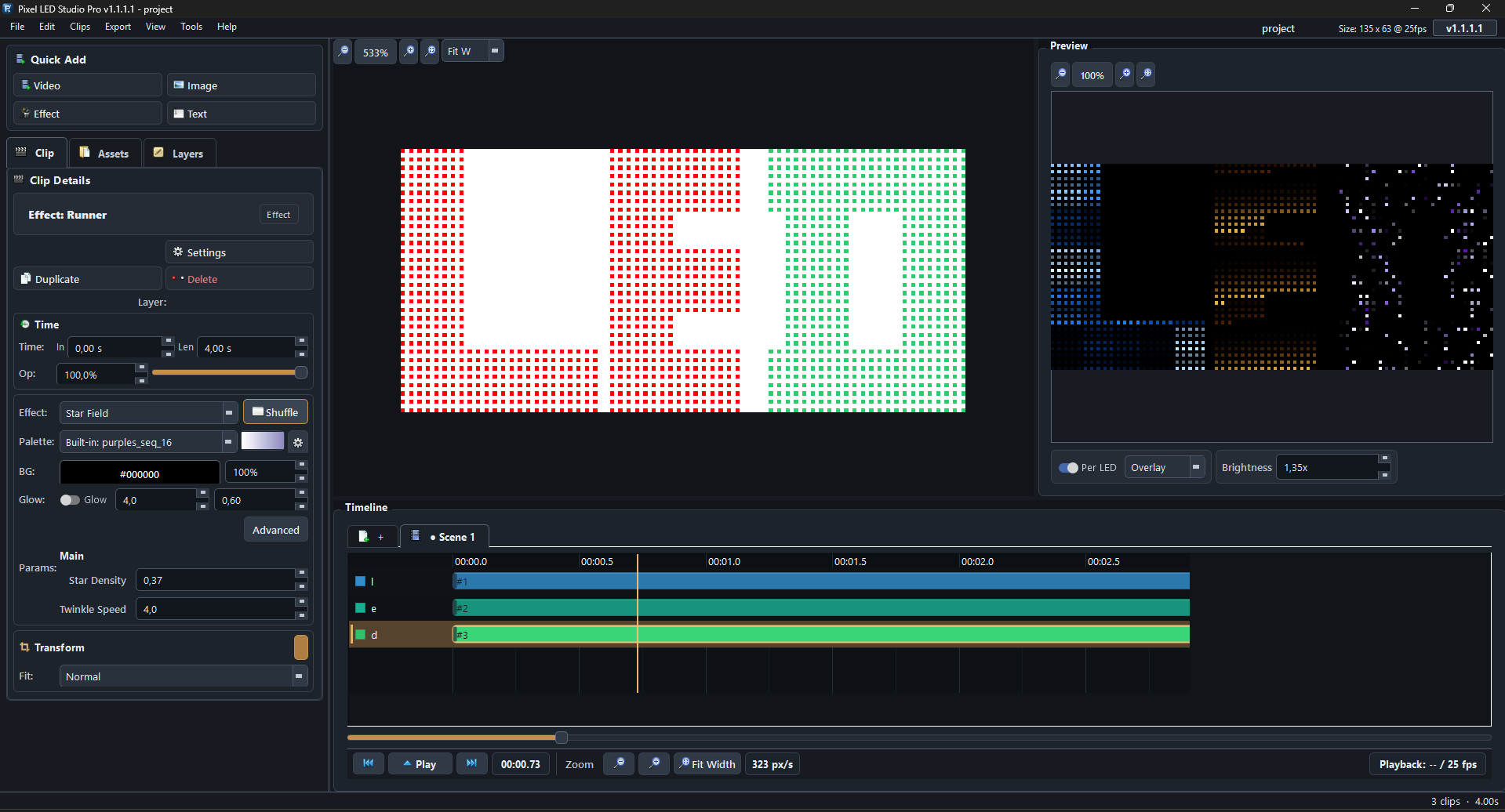
Unlike generic video editors or simple effect generators, Pixel LED Studio Pro treats the physical LED layout as the foundation of every project. You design the port wiring first, then build content that matches the actual installation. The result is a self-contained project folder with layouts, media, effects, and exports — ready to archive, hand off, or reopen for a repeat job.

Production flow
Map, sequence, render, compile — the same path installers use on site.
Import a DXF drawing or place LEDs manually on a millimeter canvas. Assign ports, wiring order, labels, and validation before content work starts.
Layer generated effects, video, image, text, and masks on a multi-scene timeline with snap, zoom, markers, and real-time LED preview.
Export MP4, AVI, MOV, MKV, or XDAT with the frame rate, resolution, and codec that match the next step in the LEDEdit workflow.
Open the rendered file in LEDEdit or LEDEdit-K, choose the controller and chip profile, generate the .led file, and copy it to the correct SD card.
Pixel LED Studio Pro handles layout, timing, preview, and export preparation. For most T-Series and K-Series controllers, LEDEdit or LEDEdit-K remains the step that creates the final .led file.
See it in action
Design port-based LED layouts on a millimeter-precise canvas, validate controller limits, wire ports, and push the mapping into the main editor.
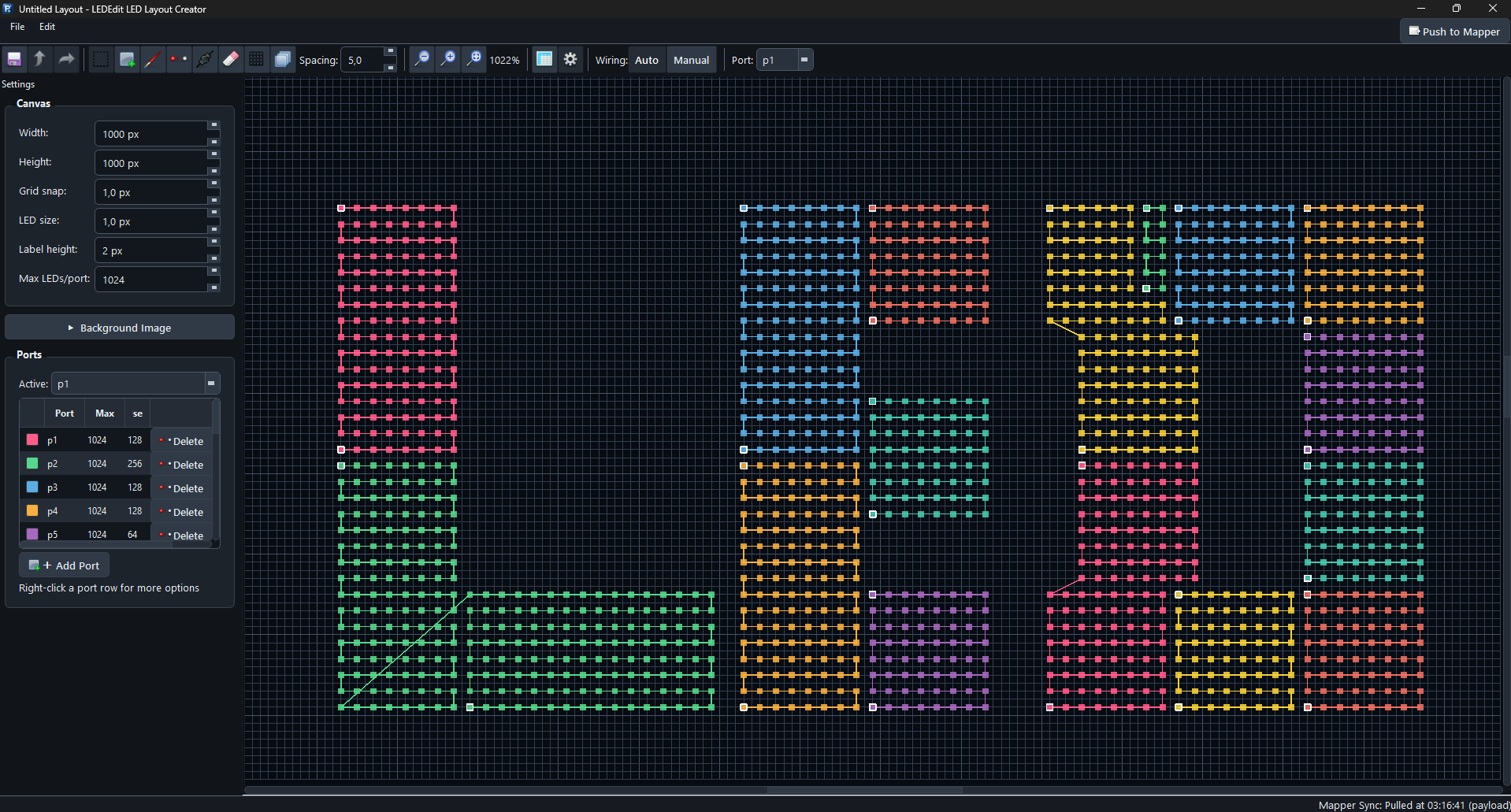
Design LED layouts on a millimetre grid: import DXF drawings for a blueprint reference, place LEDs with multiple tool modes, assign ports at controller-specific limits, choose wiring order (serpentine Z/S, linear, manual), preview coloured port connections, and overlay a background image for physical-world alignment. Full undo/redo and push-pull to the main editor.
What is inside
A focused desktop workflow for mapped LEDs: physical layout, visual timing, preview, export, and project packaging.
Build LED layouts on a millimeter-precise canvas with DXF import, 7 tool modes (select, place, line, rectangle, pan, measure, erase), pattern builder, grid fill wizard, and 5 wiring strategies (serpentine Z/S, linear L-R/T-B, manual). Assign LEDs to controller ports with limits matching your hardware. Change the layout anytime — move LEDs, reassign ports, or re-wire after effects are already on the timeline. Everything adapts non-destructively.
13 categories from simple chasers and ripples to kaleidoscope, plasma, glitch storm, and 28 gradient modes. Per-effect parameters for speed, intensity, direction, scale, and tails.
Multi-track timeline with video, image (22 animations), text, and effect clips. Multi-scene tabs, drag-drop, snap grid, rulers, markers, zoom presets, and clip table for spreadsheet editing.
Describe your show in plain language — AI generates a full timeline. 8 auto-animate styles (cascade, blink, wave, burst...). Works with DeepSeek, Claude, Gemini, and GPT-5.
5 canvas tools: select, pen, eraser, rectangle, ellipse. Per-layer LED visibility masks with reference overlay. Greyscale, high-contrast, and ghost modes. LED-only preview.
Import AutoCAD DXF to auto-generate LED positions and wiring. Export MP4 (H.264/HEVC), AVI, MKV (FFV1), MOV (ProRes 4444), and XDAT for LEDEdit-K.
Controller confidence
Pixel LED Studio Pro exports media for the LEDEdit and LEDEdit-K compile step, then your controller runs the generated .led program from SD card or its supported online workflow.
Ready for production
Use Pixel LED Studio Pro to design the layout, sequence the content, render the media, and keep each project bundled under one folder.