
Controller Compatibility & Export Workflow
Practical Pixel LED Studio Pro controller guide for T1000S, T-300K, T-500K, T8000, K-1000C, K-4000C, K-8000C, LEDEdit, LEDEdit-K, SD cards, .led files, MP4, AVI, and XDAT export.
Pixel LED Studio Pro does not replace LEDEdit. It improves the creative part before LEDEdit: layout design, effects, timeline editing, preview, and media export. LEDEdit or LEDEdit-K is still used to compile the final .led file for most T-Series and K-Series controllers.
Controllers do not play MP4 or AVI directly
For common T1000S, T8000, K-1000C, K-4000C, and K-8000C jobs, Pixel LED Studio Pro exports the media handoff. LEDEdit or LEDEdit-K then compiles the final controller .led program that goes on the SD card or into the controller workflow.
Where the software helps before controller setup
Map the real shape
Build the LED layout first, including ports, wiring order, labels, and validation, so controller limits are visible before export.
Preview mapped content
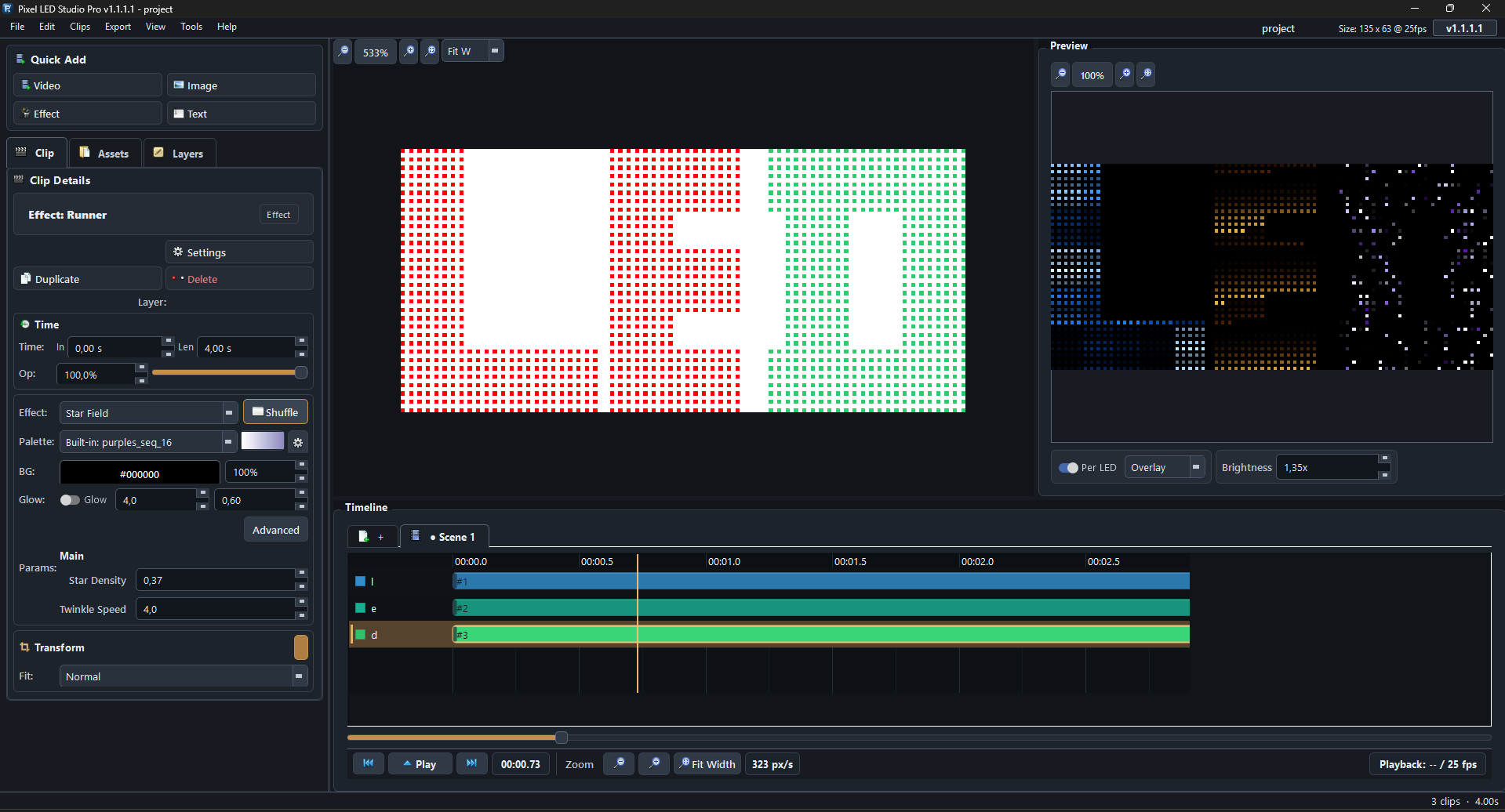
Review effects, video, images, and text on the same LED positions the controller will drive after LEDEdit compilation.
Prepare clean exports
Render the intermediate MP4, AVI, or XDAT media used by LEDEdit and LEDEdit-K before generating the final `.led` program.
The Practical Workflow
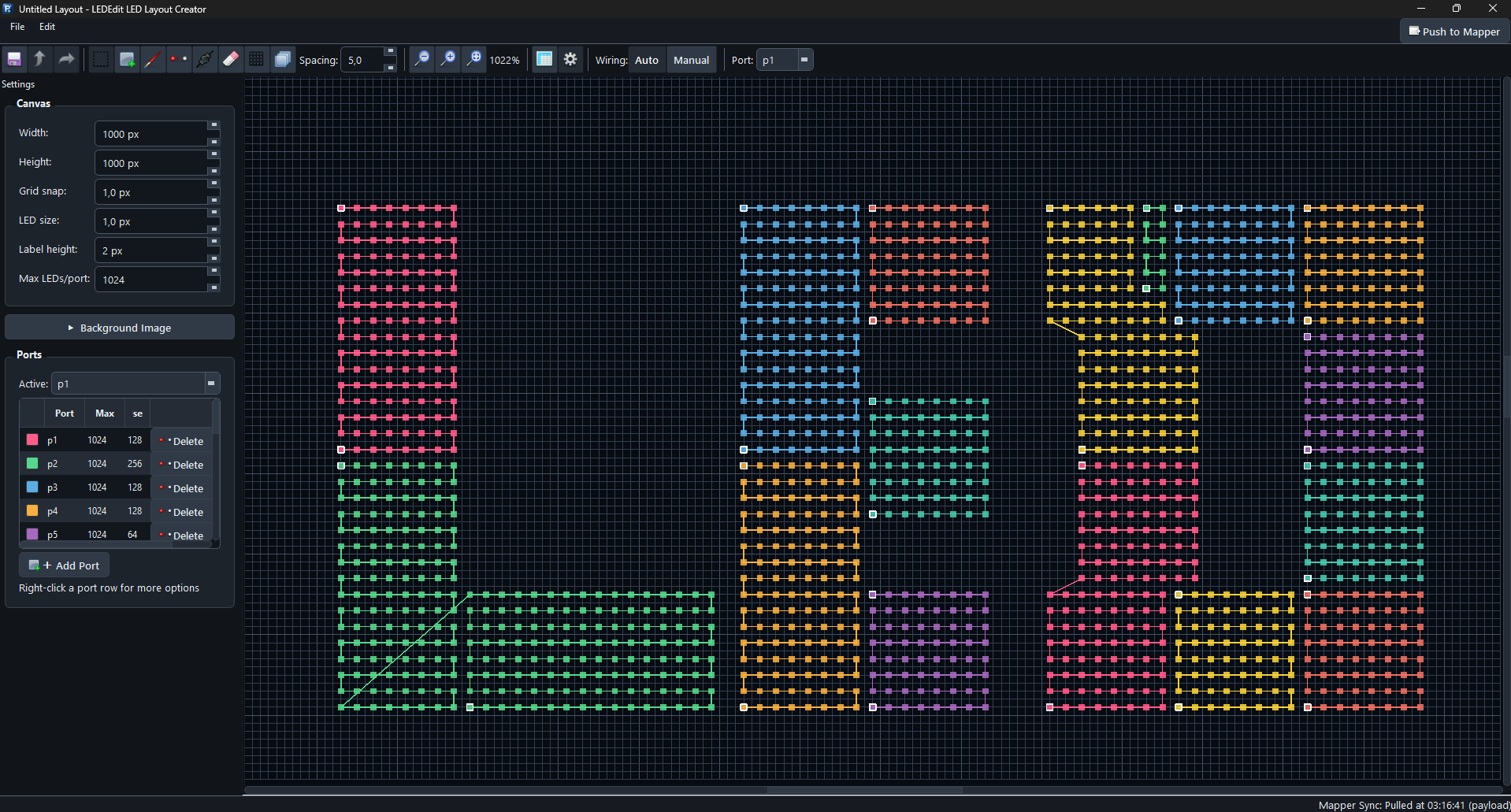
- Map the LED installation in Pixel LED Studio Pro. Import DXF drawings or place LEDs manually, assign ports, set wiring order, and validate the layout.
- Create the content with effects, video, image, text, drawing tools, masks, and the timeline editor.
- Export media as MP4, AVI, or XDAT depending on the controller and LEDEdit workflow.
- Compile in LEDEdit or LEDEdit-K. Select the correct controller model and LED chip profile, then generate the
.ledprogram. - Load the controller by copying the generated file to the required SD card, or by using the controller’s online workflow when supported.
Quick Controller Matrix
| Controller | Best fit | Typical workflow | Key limits to check |
|---|---|---|---|
| T1000S | Small offline projects, signs, props, home installs | Pixel LED Studio Pro export -> LEDEdit -> .led on SD card | 1 port, up to 2048 pixels, 16 programs, 128MB-2GB SD, FAT, names like 00_1.led |
| T8000 / T8000A / T8000C | Larger offline projects with multiple ports | Export -> LEDEdit 2014+ -> .led on SD card | 8 ports, up to 8192 pixels, SD card, frame rate depends on pixels per port |
| T-300K | Hybrid offline/online systems | Export -> LEDEdit/LEDEdit-K, SD or Ethernet depending on setup | 8 ports, up to 8192 pixels, each offline controller needs its SD card |
| T-500K | Online Ethernet playback | Export media for the software chain used by the installation | Online-focused workflow; confirm site networking and software version |
| K-1000C | Updated single-port SD controller | Export -> LEDEdit-K -> K-1000.led on SD card | 1 port, up to 2048 pixels, 128MB-32GB SD, FAT/FAT32, up to 32 effects |
| K-4000C | Mid-size K-Series installs | Export -> LEDEdit-K -> .led on SD card | 4 ports, commonly 1024 pixels per port, FAT/FAT32 SD |
| K-8000C | Professional K-Series installs | Export -> LEDEdit-K -> K-8000.led on SD card | 8 ports, up to 8192 SPI pixels, DMX options, 128MB-32GB SD, up to 32 effects |
Controller clones and firmware variants are common. Always confirm the exact model printed on the controller, the LEDEdit version, the selected LED chip, and the SD card requirements before an on-site install.
Field checks before the first controller test
Clone and firmware check
Read the exact controller label and menu behavior. T8000, T8000A, T8000C, and clone boards can require different LEDEdit versions or file names.
SD card format and file name
Match the controller manual: older T-Series cards often use FAT and names like 00_1.led; K-Series cards often use FAT/FAT32 and names like K-1000.led or K-8000.led.
LEDEdit version and chip selection
Choose the same LED chip selection in LEDEdit that is installed on the strip or nodes. Wrong chip profiles can cause no output, wrong colors, flicker, or scrambled pixels.
Export Formats
| Format | Extension | Use in this workflow |
|---|---|---|
| MP4 (H.264) | .mp4 | General-purpose video export for LEDEdit import |
| MP4 (HEVC) | .mp4 | Smaller file size when the receiving tool supports it |
| AVI (HuffYUV) | .avi | Lossless export for workflows that prefer AVI |
| AVI (Raw) | .avi | Maximum compatibility and quality, larger files |
| XDAT | .xdat | LEDEdit-K-oriented workflow for K-Series style projects |
| MKV / MOV | .mkv, .mov | Archival or intermediate exports, not the usual SD-card delivery file |
The controller normally does not play MP4 or AVI directly. Those files are intermediate exports that LEDEdit compiles into .led.
T-Series Controllers
T-Series controllers are widely used for offline SD-card playback. They are popular because they are inexpensive, simple, and familiar to LEDEdit users.
T1000S
Use T1000S when the project is simple enough for one output port and the pixel count fits comfortably.
| Item | Practical note |
|---|---|
| Ports | 1 |
| Pixel capacity | Up to 2048 pixels |
| Programs | Up to 16 |
| Storage | SD card, typically 128MB-2GB |
| File system | FAT |
| File naming | Common names are 00_1.led, 01_1.led, 02_1.led |
| Chips | Common SPI/TTL and some clocked chips, selected in LEDEdit |
For smoother playback, keep per-port pixel counts conservative. Many controller manuals call out full frame rate at lower pixel counts and reduced frame rate as the pixel count rises.
T8000 Family
T8000-style controllers are better suited when the layout needs several output ports.
| Item | Practical note |
|---|---|
| Ports | 8 |
| Pixel capacity | Commonly up to 8192 total pixels |
| Storage | SD card |
| Software | LEDEdit 2014 or later is commonly referenced |
| Notes | Variants differ: T8000, T8000A, T8000C, and AC-powered versions are not identical |
K-Series Controllers
K-Series controllers are commonly paired with LEDEdit-K. Compared with older T-Series workflows, they usually support larger SD cards, more programs, display-based controller setup, and broader chip selection.
K-1000C
| Item | Practical note |
|---|---|
| Ports | 1 |
| Pixel capacity | Up to 2048 SPI pixels; DMX workflows are lower |
| Programs | Up to 32 |
| Storage | 128MB-32GB SD card |
| File system | FAT or FAT32 |
| Common output file | K-1000.led |
| Protocols | SPI/TTL plus DMX/RS485 options depending on wiring |
K-4000C and K-8000C
| Controller | Practical note |
|---|---|
| K-4000C | 4 output ports, often used around 1024 pixels per port |
| K-8000C | 8 output ports, commonly listed as 512/1024 pixels per port with up to 8192 SPI pixels total |
For K-Series projects, verify the exact LEDEdit-K version and output folder naming. Many workflows expect controller-specific names such as K-1000.led or K-8000.led.
Online and Hybrid Controllers
Some controllers, including T-300K, T-500K, and related models, support Ethernet or online control workflows. This is where project requirements matter:
- Offline SD playback is best when the show should run without a computer.
- Hybrid SD + Ethernet is useful when the controller can be configured or synchronized over a network but still plays stored content.
- Online-only playback is better for live events, media-server workflows, and systems that are managed from a computer or controller network.
Pixel LED Studio Pro is strongest at preparing the mapped content and exported media. Final online playback setup still depends on the controller software, network configuration, and the hardware vendor’s toolchain.
Compatible LED Chip Families
Controller chip support varies by model and firmware, but these families are commonly seen in LEDEdit and LEDEdit-K workflows:
| Family | Notes |
|---|---|
| WS2811 / WS2812 / WS2812B / WS2813 / WS2815 | Common single-data addressable LEDs |
| SK6812 / SK6812 RGBW | RGB and RGBW variants |
| UCS1903 / UCS1909 / UCS1912 / UCS2903 / UCS2912 | Common UCS families |
| TM1803 / TM1804 / TM1809 / TM1812 / TM1814 | Older but common pixel ICs |
| SM16703 / SM16709 / SM16712 / SM16714 / SM16813 | Common SM families |
| APA102 / SK9822 / WS2801 / LPD8806 | Clock + data style chips |
| DMX512 | Professional fixtures; pixel limits and addressing differ from SPI pixels |
The important rule: choose the same chip in LEDEdit that matches the physical LED strip or pixel node. Wrong chip selection can produce no output, wrong colors, flicker, or scrambled pixels.
SD Card Checklist
Before copying a .led file:
- Format the card exactly as the controller expects.
- Use FAT for older T-Series controllers such as T1000S.
- Use FAT or FAT32 for many K-Series controllers.
- Keep T1000S cards small, typically 128MB-2GB.
- K-Series controllers commonly accept 128MB-32GB cards.
- Use the controller’s expected file name: T1000S often uses
00_1.led; K-Series workflows often use names such asK-1000.ledorK-8000.led. - Re-export and recompile after changing controller model, LED chip, pixel count, or port layout.
Research Notes
This page was written around common published controller manuals and vendor guides for T1000S, T8000, T-300K, K-1000C, and K-8000C style controllers. Because these controllers are frequently cloned or revised, the safest production workflow is to verify the exact controller label, firmware behavior, LEDEdit version, SD card format, and LED chip profile for each installation.